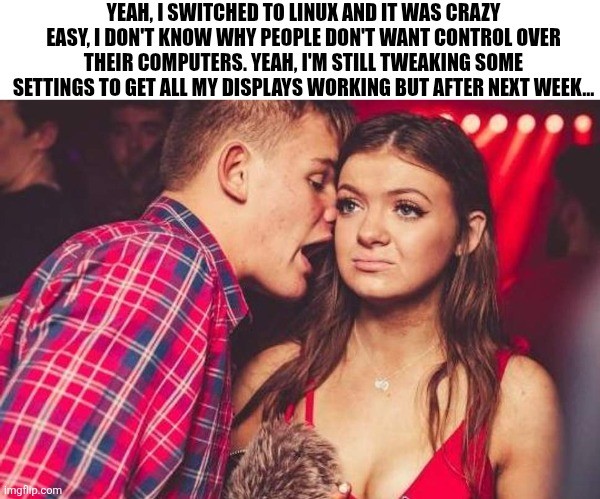
Edit: I’m glad so many of you have had no issues with multiple monitors. My set up is a little unusual (3rd display is an infrequently used large tv hooked through the receiver) and is definitely solveable but will take some effort (and honestly, I’d rather spend my spare time outside or with friends, so who knows when I’ll fix it.)
My wife was laughing when I showed her this meme.
The trick is to buy linux-approved hardware.
For example, there are specific machines which are approved by ubuntu as officialy working with ubuntu.
Thinkpads are generaly good to use.
Consumer Thinkbooks (Shitbooks) like the 16 G7 IML are NOT at all compatible.
You gotta work your hardware around linux a bit.
The trick is to buy linux-approved hardware.
So have money.
I have two extra monitors, one of them is technically a small low res LCD TV, another is in an elderly monitor that I can only turn on and off by plugging and unplugging it because its power button work’s 1 out of 1000 times its pressed. They work, why spend money to replace them, they are just used to monitor temps, music players, and Discord.
Also this flies in the face of sustainability. I’d figure sustainability is also a major motivating factor of Linux, given its association with other progressive tech movements like right to repair. If I have some random jank old hardware, it’d be nice to not have to just throw it away for the sake of switching to Linux. In fact, Linux does save some hardware of course and gives them new life sometimes. I’ve revived some old laptops before with it.
I say this as a Linux advocate, I use Windows due to current necessity. I also use Linux (Not just on a Steam Deck, but yes on a Steam Deck). I’d stop using Windows entirely but I’d need to be richer or accept significant downgrades. I’m not the former and I wont do the latter.
Pfft, L take, just learn linux from scratch and install linux on a pdf file, partition the machine, make it boot directly the pdf file, and have a working lfs, very customisable as well.
(In case it’s not clear, this is a joke, by which I mean, the part where I recommend this, the process I describe is for some reason an actually doable thing (technically can do it on a piece of salami if you’re rednecked enough))
PDF files are not cheap and not everyone knows how to use them.
On my Windows laptop, multi displays barely work with any logic at all.
Last time I used macOS it pretended that displays worked fine (but they didn’t).
I’ve not used Linux much in hotplug monitor setups but I assume the situation can’t be worse.
I haven’t had trouble getting displays working since 2007.
Look at this guy, running a headless workstation
You guys should really tell us normies how to start. For example, the easiest thing is to check approved hardware for a specific distro. Ubuntu has a list. Nobody told me this in my over 4.5 years working with ubuntu during uni, at work and sometimes at home.
(I don’t get much time to research…)
It’s because one of my three is a sporadically used tv that’s hooked up through my receiver system. Windows had trouble with it too and in more irritating ways. I just have to sit down and do some work to create a way to easily toggle between 1, 2 and 3 screen layouts/settings etc.
lol, getting all displays working is indeed my biggest worry for my last Windows PC, migrating next month. It has both an NVIDIA and a Radeon GPU, and that works great on Windows. But a quick test boot from USB did not go so well on Ubuntu, so the truth will only come out after a real install with drivers.