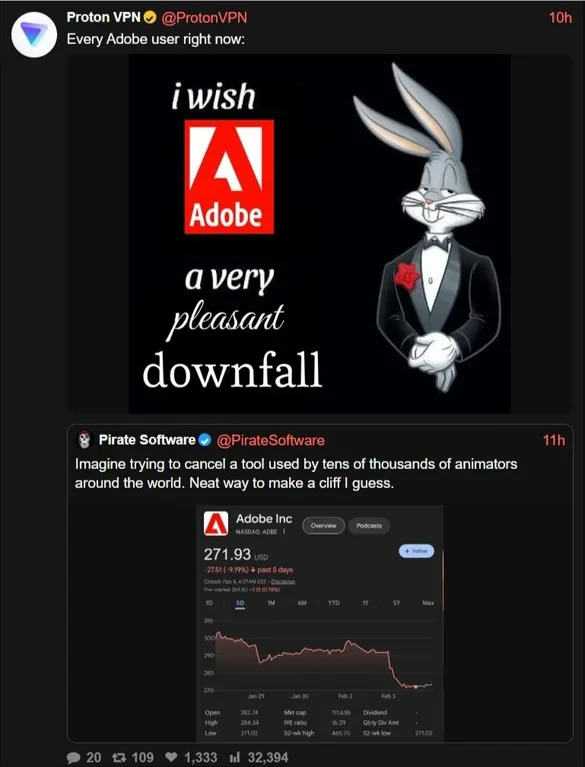
Sunshine (she/her)@piefed.caM to Boycott US@lemmy.caEnglish · 1 day agoAdobe backlash is getting louder — time to escape proprietary creative tools?media.piefed.caimagemessage-square82linkfedilinkarrow-up1382arrow-down12
arrow-up1380arrow-down1imageAdobe backlash is getting louder — time to escape proprietary creative tools?media.piefed.caSunshine (she/her)@piefed.caM to Boycott US@lemmy.caEnglish · 1 day agomessage-square82linkfedilink
minus-squareSamiaouuuu@jlai.lulinkfedilinkEnglisharrow-up1·3 hours agoYou could use ilovepdf ? It’s available as a web app for free without an account
minus-squareSunflier@lemmy.worldlinkfedilinkEnglisharrow-up6·edit-23 hours agoNeed something more local. Don’t want to accidentally waive attorney-client privilege by using an online utility.
minus-squareYeahToast@aussie.zonelinkfedilinkEnglisharrow-up2·2 hours agoMight be worth giving https://bentopdf.com/ a try. I’ve just started using it . Seems ok. You can spin up your own locally (I haven’t done this yet) or I believe you can also edit PDFs locally in a browser.
minus-squareLibnedG@discuss.tchncs.delinkfedilinkEnglisharrow-up3·3 hours agoYou could try PDFsam Basic. As the name suggests it provides some basic functions, especially the ones you described. Sam stands for split and merge.


You could use ilovepdf ? It’s available as a web app for free without an account
Need something more local. Don’t want to accidentally waive attorney-client privilege by using an online utility.
Might be worth giving https://bentopdf.com/ a try. I’ve just started using it . Seems ok. You can spin up your own locally (I haven’t done this yet) or I believe you can also edit PDFs locally in a browser.
You could try PDFsam Basic. As the name suggests it provides some basic functions, especially the ones you described. Sam stands for split and merge.
I’ll check it out.